- myFICO® Forums
- Types of Credit
- Credit Cards
- Defective CHIP issues
Options
- Subscribe to RSS Feed
- Mark Topic as New
- Mark Topic as Read
- Float this Topic for Current User
- Bookmark
- Subscribe
- Mute
- Printer Friendly Page
Turn on suggestions
Auto-suggest helps you quickly narrow down your search results by suggesting possible matches as you type.
Showing results for
Defective CHIP issues


Is your credit card giving you the perks you want?
Browse credit cards from a variety of issuers to see if there's a better card for you.
- « Previous
- Next »

Anonymous
Not applicable
- Mark as New
- Bookmark
- Subscribe
- Mute
- Subscribe to RSS Feed
- Permalink
- Report Inappropriate Content
05-14-2023
08:44 PM
05-14-2023
08:44 PM
Re: Defective CHIP issues
@FireMedic1 wrote:@Aim_HighOne store took one of their bags put my card in it. Then placed it in the reader. It worked. And the ole rub your thumb over the chip a few times. Just like your phone. Body oils and stuff get on cards.
This assumes that the chip is basically ok and something is just "getting in the way" (a very technical term) of it being read correctly. I believe @Aim_High is asking about where the chip is functionally not working, so no workarounds short of replacing the chip will work. I guess there is some belief here that that doesn't happen!
Message 31 of 40

- Mark as New
- Bookmark
- Subscribe
- Mute
- Subscribe to RSS Feed
- Permalink
- Report Inappropriate Content
05-14-2023
08:56 PM
05-14-2023
08:56 PM
Re: Defective CHIP issues
@Anonymalous wrote:Since all you really need is the chip, I'm surprised we haven't seen even more exotic limited edition credit "cards". Imagine a credit chip implanted in a ring, or a wizard's wand, or even a brick. Just swipe it and go!
The closest I've seen are the subdermal ID chips that were all the rage among the bleeding edge (pun intended) adopters a few years back.
Could be fun. For a new twist on Apple Pay, I'd love to see someone buy something with a chip carefully embedded in a half-eaten Honeycrisp.
Personal spend: Amex Gold, Amex Schwab Plat., BofA PR+CCR(x2), Costco
Business use: Amex Bus. Plat., BBP, Lowes Amex AU, CFU AU
Perks: Delta Plat., United Explorer, IHG49, Hyatt, "Old SPG"
Mostly SD: Freedom Flex, Freedom, Arrival
Upgrade/Downgrade games: ED, BCE
SUB chasing: AA Platinum Select
Business use: Amex Bus. Plat., BBP, Lowes Amex AU, CFU AU
Perks: Delta Plat., United Explorer, IHG49, Hyatt, "Old SPG"
Mostly SD: Freedom Flex, Freedom, Arrival
Upgrade/Downgrade games: ED, BCE
SUB chasing: AA Platinum Select
Message 32 of 40


- Mark as New
- Bookmark
- Subscribe
- Mute
- Subscribe to RSS Feed
- Permalink
- Report Inappropriate Content
05-15-2023
10:33 AM
05-15-2023
10:33 AM
Re: Defective CHIP issues
@Anonymous wrote:
@FireMedic1 wrote:@Aim_HighOne store took one of their bags put my card in it. Then placed it in the reader. It worked. And the ole rub your thumb over the chip a few times. Just like your phone. Body oils and stuff get on cards.
This assumes that the chip is basically ok and something is just "getting in the way" (a very technical term) of it being read correctly. I believe @Aim_High is asking about where the chip is functionally not working, so no workarounds short of replacing the chip will work. I guess there is some belief here that that doesn't happen!
@AnonymousI am not allowed to tell a short story? That worked? I thought it was comical. Lady told me it worked because their terminal is old and worn out. We all have had a chip not work at times. I know what AimHigh is talking about. I've had 4-5 cards replaced due to bad chips. And 1 forgot to pull my wallet out when taking a Patient to the MRI room in an emergency. That will wipe it clean real quick.





BK Free Aug25
Message 33 of 40

- Mark as New
- Bookmark
- Subscribe
- Mute
- Subscribe to RSS Feed
- Permalink
- Report Inappropriate Content
05-15-2023
11:30 AM
05-15-2023
11:30 AM
Re: Defective CHIP issues
@FireMedic1 wrote:
@Anonymous wrote:
@FireMedic1 wrote:@Aim_HighOne store took one of their bags put my card in it. Then placed it in the reader. It worked. And the ole rub your thumb over the chip a few times. Just like your phone. Body oils and stuff get on cards.
This assumes that the chip is basically ok and something is just "getting in the way" (a very technical term) of it being read correctly. I believe @Aim_High is asking about where the chip is functionally not working, so no workarounds short of replacing the chip will work. I guess there is some belief here that that doesn't happen!
@AnonymousI am not allowed to tell a short story? That worked? I thought it was comical. Lady told me it worked because their terminal is old and worn out. We all have had a chip not work at times. I know what AimHigh is talking about. I've had 4-5 cards replaced due to bad chips. And 1 forgot to pull my wallet out when taking a Patient to the MRI room in an emergency. That will wipe it clean real quick.
I've seen that bag trick once or twice, @FireMedic1, but I'll admit none of us tried that one with this card. But it was wiped and wiggled and reinserted with no change in the results, and this was at maybe a dozen different terminals before I gave up and called Chase to replace it. I also thought it was odd that it was a brand-new card, so it wasn't due to excessive wear, but might be a manufacturing defect. For grins, I scrubbed the card with a heavy duty scouring sponge to try to clean off any residue and may try it again ... for science. It scratched the plastic some but it's no biggie since another card is on the way. Still, it's curious to me since the contactless payments still worked well, so apparently the internal part of the chip is intact. It's just not making contact via the chip insertion.


Business Cards






Length of Credit > 42 years; Total Credit Limits > $947K
Top Lender TCL - Chase 156.4 - BofA 99.9 - CITI 97.5 - AMEX 95.1 - NFCU 80.0 - SYCH - 65.0
AoOA > 32 years (Jun 1993); AoYA (Oct 2024)
* Hover cursor over cards to see name & CL, or press & hold on mobile app.
Message 34 of 40
0
Kudos
Anonymous
Not applicable
- Mark as New
- Bookmark
- Subscribe
- Mute
- Subscribe to RSS Feed
- Permalink
- Report Inappropriate Content
05-15-2023
01:02 PM
05-15-2023
01:02 PM
Re: Defective CHIP issues
@FireMedic1 wrote:
@Anonymous wrote:
@FireMedic1 wrote:@Aim_HighOne store took one of their bags put my card in it. Then placed it in the reader. It worked. And the ole rub your thumb over the chip a few times. Just like your phone. Body oils and stuff get on cards.
This assumes that the chip is basically ok and something is just "getting in the way" (a very technical term) of it being read correctly. I believe @Aim_High is asking about where the chip is functionally not working, so no workarounds short of replacing the chip will work. I guess there is some belief here that that doesn't happen!
@AnonymousI am not allowed to tell a short story? That worked? I thought it was comical. Lady told me it worked because their terminal is old and worn out. We all have had a chip not work at times. I know what AimHigh is talking about. I've had 4-5 cards replaced due to bad chips. And 1 forgot to pull my wallet out when taking a Patient to the MRI room in an emergency. That will wipe it clean real quick.
Yes, you are allowed (up to a max of 3 times a month). I have had the same thing done to my card and it also worked.. But my point is that @Aim_High is getting all these ("try this and it will [probably] work") hints/tips, when, it seemed his premise was different. That chip itself has some fault.
Message 35 of 40
- Mark as New
- Bookmark
- Subscribe
- Mute
- Subscribe to RSS Feed
- Permalink
- Report Inappropriate Content
05-15-2023
01:32 PM
05-15-2023
01:32 PM
Re: Defective CHIP issues
@Aim_High wrote:
@FireMedic1 wrote:
@Anonymous wrote:
@FireMedic1 wrote:@Aim_HighOne store took one of their bags put my card in it. Then placed it in the reader. It worked. And the ole rub your thumb over the chip a few times. Just like your phone. Body oils and stuff get on cards.
This assumes that the chip is basically ok and something is just "getting in the way" (a very technical term) of it being read correctly. I believe @Aim_High is asking about where the chip is functionally not working, so no workarounds short of replacing the chip will work. I guess there is some belief here that that doesn't happen!
@AnonymousI am not allowed to tell a short story? That worked? I thought it was comical. Lady told me it worked because their terminal is old and worn out. We all have had a chip not work at times. I know what AimHigh is talking about. I've had 4-5 cards replaced due to bad chips. And 1 forgot to pull my wallet out when taking a Patient to the MRI room in an emergency. That will wipe it clean real quick.
I've seen that bag trick once or twice, @FireMedic1, but I'll admit none of us tried that one with this card. But it was wiped and wiggled and reinserted with no change in the results, and this was at maybe a dozen different terminals before I gave up and called Chase to replace it. I also thought it was odd that it was a brand-new card, so it wasn't due to excessive wear, but might be a manufacturing defect. For grins, I scrubbed the card with a heavy duty scouring sponge to try to clean off any residue and may try it again ... for science. It scratched the plastic some but it's no biggie since another card is on the way. Still, it's curious to me since the contactless payments still worked well, so apparently the internal part of the chip is intact. It's just not making contact via the chip insertion.
@Aim_High BINGO! 4 cards in 7 yrs were Chase Debit cards. Now that I left to go to WF's Early PD. Dont have to worry about it anymore.
BK Free Aug25
Message 36 of 40

- Mark as New
- Bookmark
- Subscribe
- Mute
- Subscribe to RSS Feed
- Permalink
- Report Inappropriate Content
05-15-2023
05:27 PM
05-15-2023
05:27 PM
Re: Defective CHIP issues
Can't say that I've ever had a chip issue that I can recall, but speaking of Chase, my CSP doesn't seem to do well with tapping. I already replaced it once, and I think the new(er) one is also not tapping well. The only problem is I don't use my CSP too often, so it's tough to tell if it's the reader or the card.





Message 37 of 40

- Mark as New
- Bookmark
- Subscribe
- Mute
- Subscribe to RSS Feed
- Permalink
- Report Inappropriate Content
05-16-2023
01:10 PM
05-16-2023
01:10 PM
Re: Defective CHIP issues
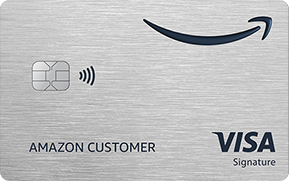
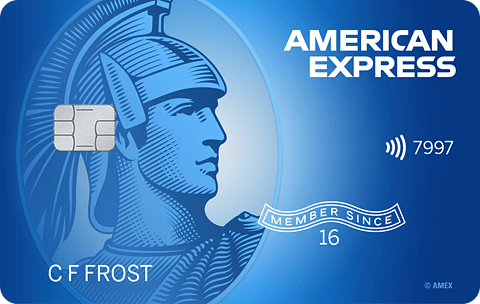
I see a lot of you getting close to the issue but no one has really nailed it yet.
The THICKNESS of newer cards is "not a precise thing" across several issuers.
Cards (and driver's licenses alike) have been getting thinner over time to save plastic, but it's been causing more headaches for consumers and merchants. Especially as more merchants adopt policies - however arbitrary - against keying in card numbers when the card won't get a readable swipe.
Neither the inner workings of chip readers nor magstripe readers have a very wide range of movement. It's not a coil spring in the classical sense, is simply thin pieces of metal to allow for basic (limited) travel to glide over any sharp edges on a SPECIFIED card thickness.
I think the real solution here is to add thickness to the card at the back, as the chip has a zero tolerance for anything BUT direct electrical contact with the reader. I've seen cashiers get successful swipes with a magstripe card by putting it inside a plastic bag and swiping. Just needs a hair more like a piece of window tint.








Message 38 of 40
- Mark as New
- Bookmark
- Subscribe
- Mute
- Subscribe to RSS Feed
- Permalink
- Report Inappropriate Content
05-17-2023
10:15 AM
05-17-2023
10:15 AM
Re: Defective CHIP issues
@CashOutReFi wrote:I see a lot of you getting close to the issue but no one has really nailed it yet.
The THICKNESS of newer cards is "not a precise thing" across several issuers.
Good point, @CashOutReFi, and you might be on to something here.
I think there could be more than one issue at play, depending on the card or chip, but this could certainly be valid.
Business Cards
Length of Credit > 42 years; Total Credit Limits > $947K
Top Lender TCL - Chase 156.4 - BofA 99.9 - CITI 97.5 - AMEX 95.1 - NFCU 80.0 - SYCH - 65.0
AoOA > 32 years (Jun 1993); AoYA (Oct 2024)
* Hover cursor over cards to see name & CL, or press & hold on mobile app.
Message 39 of 40
0
Kudos
- Mark as New
- Bookmark
- Subscribe
- Mute
- Subscribe to RSS Feed
- Permalink
- Report Inappropriate Content
05-17-2023
10:23 AM
05-17-2023
10:23 AM
Re: Defective CHIP issues
@Aim_High wrote:... For grins, I scrubbed the card with a heavy duty scouring sponge to try to clean off any residue and may try it again ... for science. It scratched the plastic some but it's no biggie since another card is on the way. Still, it's curious to me since the contactless payments still worked well, so apparently the internal part of the chip is intact. It's just not making contact via the chip insertion.
Update on my "experiment." Much to my shagrin, that chip seems to be working now.  I tried it on three separate transactions and it was never declined; in fact, it worked very promptly. Since the card was brand new, I have clean hands when pulling my cards out, and I don't normally touch the chip, I'm thinking that perhaps there was some film/residue from manufacturing (adhesive?) that I scrubbed off. I just used the kitchen scrubber sponge with a little dish soap. After seeing the video where the contactless payment still uses the chip for processing, it made me wonder if cleaning the chip again would help. It had been wiped off but not washed since the problems began.
Meanwhile, I received the replacement card from Chase. But the thread has still been some interesting discussion.
Business Cards
Length of Credit > 42 years; Total Credit Limits > $947K
Top Lender TCL - Chase 156.4 - BofA 99.9 - CITI 97.5 - AMEX 95.1 - NFCU 80.0 - SYCH - 65.0
AoOA > 32 years (Jun 1993); AoYA (Oct 2024)
* Hover cursor over cards to see name & CL, or press & hold on mobile app.
Message 40 of 40
† Advertiser Disclosure: The offers that appear on this site are from third party advertisers from whom FICO receives compensation.