- myFICO® Forums
- Types of Credit
- Credit Cards
- Redstone FCU Cash Back Category Lookup
Options
- Subscribe to RSS Feed
- Mark Topic as New
- Mark Topic as Read
- Float this Topic for Current User
- Bookmark
- Subscribe
- Mute
- Printer Friendly Page
Turn on suggestions
Auto-suggest helps you quickly narrow down your search results by suggesting possible matches as you type.
Showing results for
Redstone FCU Cash Back Category Lookup


Is your credit card giving you the perks you want?
Browse credit cards from a variety of issuers to see if there's a better card for you.

- Mark as New
- Bookmark
- Subscribe
- Mute
- Subscribe to RSS Feed
- Permalink
- Report Inappropriate Content
03-21-2023
11:29 AM
03-21-2023
11:29 AM
Redstone FCU Cash Back Category Lookup
With the Redstone Signature Visa starting to have a great rewards structure at the beginning of the year, I think more people are going to become interested in their credit card. However, their website and card statements are very rudimentary, and don't even tell you what category the charges were made in, let alone what % rewards you earned. The statement just gives you a line that tells you how many points you earned in total that month with no indicator as to how many points were given to a particular charge.
I emailed the credit union and asked if they could update either the website or the statement to include "dining", or "grocery", or whatever next to the charge so that we could see what rate we were getting. I also asked them what exactly a "discount store" is, since that's one of the categories. The rep replied back and said: "The discount stores would be like Wal-mart, Sams, Dollar Store, any of those type of store will be the discount stores." They also said that there are no plans to update either the statement or the website to show the categories.
It would be cool if Walmart really codes that way, but I haven't tried yet. I'm skeptical that Sams will code as anything other than warehouse store, but that's also a 3% category on the card. My concern was that even if I tried a bunch of stores to see if they were "discount stores", I wouldn't know if it had worked unless I only tried one store per statement. If some worked, and some didn't, the statement won't tell me which one got which reward.
I went back to the website again, and I found that when you go to redeem your rewards, there is a screen that will show you where you got the points from! I've never noticed this before despite having used their Rural King card for over three years. I've just been getting my statement credits, and never noticed that there's another option to show your rewards balance information. Apparently the rep didn't know about this either, or just failed to mention it.
To get to the screen, you first click on the rewards on the home page:

After clicking here, you'll be at this screen:

This will take you to the account statement. Scroll to the bottom, and you'll see this:

This Canteen Vending is a $1.30 purchase for a bag of chips in a vending machine. The rewards are split into a base amount, which is 1.5% for all purchases, and a bonus amount which will vary based on the category.
1.30 x .015 = 0.0195
They rounded it up to 0.02, but you get double points because they are only valued at 1/2 a cent. So instead of 2 points for the base value, I got 4 points for the base value of 1.5% cashback.
This vending machine codes as dining, so it should be 5% cashback.
1.30 x .05 = 0.065
Since it's double points, that would be 0.13, or 13 points for the total of 5% for restaurants.
Since they already gave me 4 points as the base, then 13 - 4 points = 9 points for the "bonus" dining category.
So they gave me 4 points base, and 9 points bonus which = 13 points total which are 1/2 cent value each, so it's really 6.5 cents, which is the right amount for 5% cash back on $1.30 purchase.
I really, REALLY wish that they'd just simplify this and show it on the statement like a bunch of other companies do, but at least there is SOME way to tell what percentage you're getting at a particular store. So now I can test my local Walmart/Target to see if it'll get 3% as a discount store or just 1.5% as an "everything else".


Labels:
Message 1 of 13
12 REPLIES 12

- Mark as New
- Bookmark
- Subscribe
- Mute
- Subscribe to RSS Feed
- Permalink
- Report Inappropriate Content
03-21-2023
11:38 AM
03-21-2023
11:38 AM
Re: Redstone FCU Cash Back Category Lookup
Excellent info and digging, thanks @dlister70 .
[Until I can make a pretty signature, here’s an updated draft]
Everyday 5% CB:
Chase prime Visa // citi CUSTOM CASH “A” // citi CUSTOM CASH “B” // citi SHOP YOUR WAY (5% gas (in points), lucrative spending offers) // mylowe’s Rewards // Target circle card // primis Perks debit Visa (50c CB per transaction (5% CB or more up to $10 spend))
5% CB rotating:
Chase “OG” freedom Visa // DISCOVER it Cash Back // nusenda CU Platinum Cash Rewards
Everyday 4% CB:
US Bank Smartly (v1.0)
Everyday 3% / 2.2% CB:
AOD FCU Visa Signature (3%, sockdrawered) // upgrade Cash Rewards Elite (2.2%, sockdrawered)
Welcome Offer / credits only:
Chase SAPPHIRE PREFFERED (grabbed my $1,000, sockdrawered, will cancel) // NFCU FLAGSHIP REWARDS (elevated Welcome Offer, annual prime credit, sockdrawered)
Hotel card:
Chase IHG ONE REWARDS PREMIER (elevated Welcome Offer, 1 free night/yr)
On my radar:
Langely FCU Signature Cash Back (5% CB monthly selectable cat) // Safe CU Cash Back+ (Quarterly rotating 5% CB cats plus bonus cats) // upgrade MyFive Cash Rewards (5% CB monthly selectable cat) // US Bank Kroger (and family) World Elite Master Card(s) (5% CB Mobile Wallet)
Everyday 5% CB:
Chase prime Visa // citi CUSTOM CASH “A” // citi CUSTOM CASH “B” // citi SHOP YOUR WAY (5% gas (in points), lucrative spending offers) // mylowe’s Rewards // Target circle card // primis Perks debit Visa (50c CB per transaction (5% CB or more up to $10 spend))
5% CB rotating:
Chase “OG” freedom Visa // DISCOVER it Cash Back // nusenda CU Platinum Cash Rewards
Everyday 4% CB:
US Bank Smartly (v1.0)
Everyday 3% / 2.2% CB:
AOD FCU Visa Signature (3%, sockdrawered) // upgrade Cash Rewards Elite (2.2%, sockdrawered)
Welcome Offer / credits only:
Chase SAPPHIRE PREFFERED (grabbed my $1,000, sockdrawered, will cancel) // NFCU FLAGSHIP REWARDS (elevated Welcome Offer, annual prime credit, sockdrawered)
Hotel card:
Chase IHG ONE REWARDS PREMIER (elevated Welcome Offer, 1 free night/yr)
On my radar:
Langely FCU Signature Cash Back (5% CB monthly selectable cat) // Safe CU Cash Back+ (Quarterly rotating 5% CB cats plus bonus cats) // upgrade MyFive Cash Rewards (5% CB monthly selectable cat) // US Bank Kroger (and family) World Elite Master Card(s) (5% CB Mobile Wallet)
Message 2 of 13


- Mark as New
- Bookmark
- Subscribe
- Mute
- Subscribe to RSS Feed
- Permalink
- Report Inappropriate Content
03-21-2023
06:19 PM
03-21-2023
06:19 PM
Re: Redstone FCU Cash Back Category Lookup
@ptatohed wrote:Excellent info and digging, thanks @dlister70 .
Agreed

Last App: 1/10/2023
Penfed Gold Visa Card
Currently rebuilding as of 04/11/2019.
Starting FICO 8 Scores:



Current FICO 8 scores:



Message 3 of 13

- Mark as New
- Bookmark
- Subscribe
- Mute
- Subscribe to RSS Feed
- Permalink
- Report Inappropriate Content
03-21-2023
06:30 PM
03-21-2023
06:30 PM
Re: Redstone FCU Cash Back Category Lookup
Thanks a lot, @dlister70, for the lengthy post, screenshots, and explanation. Much appreciated!
Message 4 of 13
0
Kudos
- Mark as New
- Bookmark
- Subscribe
- Mute
- Subscribe to RSS Feed
- Permalink
- Report Inappropriate Content
03-22-2023
10:20 AM
03-22-2023
10:20 AM
Re: Redstone FCU Cash Back Category Lookup
Ok, maybe their website isn't quite as basic as I thought that it was. I'm just an idiot who never realized that you could click on the plus sign by each charge! If you click on that, it will tell you the category. I can't believe that I've been using this website for 3 years and never tried that. I guess that I owe Redstone an apology for asking them to show us the category, when apparently they were already doing it. But again, the rep didn't seem to know about it either. 
I just thought that the + meant that you had an additional charge "added", but then today I noticed that my payment also had a + next to it. I hovered over and saw that it was clickable. I guess that I'd just never noticed that before, but I also haven't been hyper focussed on trying to figure out their categories until I got this new card.
The above method still shows you how many points you are getting to verify that, but if you just need to know the category, then just click the + next to the charge on your transaction list.

Message 5 of 13
- Mark as New
- Bookmark
- Subscribe
- Mute
- Subscribe to RSS Feed
- Permalink
- Report Inappropriate Content
03-22-2023
10:50 AM
03-22-2023
10:50 AM
Re: Redstone FCU Cash Back Category Lookup
Ha-ha, nice find and thanks for sharing. The same thing happened to me with my SYW card. I thought the plus just meant a charge and a minus would mean a credit, lol.

[Until I can make a pretty signature, here’s an updated draft]
Everyday 5% CB:
Chase prime Visa // citi CUSTOM CASH “A” // citi CUSTOM CASH “B” // citi SHOP YOUR WAY (5% gas (in points), lucrative spending offers) // mylowe’s Rewards // Target circle card // primis Perks debit Visa (50c CB per transaction (5% CB or more up to $10 spend))
5% CB rotating:
Chase “OG” freedom Visa // DISCOVER it Cash Back // nusenda CU Platinum Cash Rewards
Everyday 4% CB:
US Bank Smartly (v1.0)
Everyday 3% / 2.2% CB:
AOD FCU Visa Signature (3%, sockdrawered) // upgrade Cash Rewards Elite (2.2%, sockdrawered)
Welcome Offer / credits only:
Chase SAPPHIRE PREFFERED (grabbed my $1,000, sockdrawered, will cancel) // NFCU FLAGSHIP REWARDS (elevated Welcome Offer, annual prime credit, sockdrawered)
Hotel card:
Chase IHG ONE REWARDS PREMIER (elevated Welcome Offer, 1 free night/yr)
On my radar:
Langely FCU Signature Cash Back (5% CB monthly selectable cat) // Safe CU Cash Back+ (Quarterly rotating 5% CB cats plus bonus cats) // upgrade MyFive Cash Rewards (5% CB monthly selectable cat) // US Bank Kroger (and family) World Elite Master Card(s) (5% CB Mobile Wallet)
Everyday 5% CB:
Chase prime Visa // citi CUSTOM CASH “A” // citi CUSTOM CASH “B” // citi SHOP YOUR WAY (5% gas (in points), lucrative spending offers) // mylowe’s Rewards // Target circle card // primis Perks debit Visa (50c CB per transaction (5% CB or more up to $10 spend))
5% CB rotating:
Chase “OG” freedom Visa // DISCOVER it Cash Back // nusenda CU Platinum Cash Rewards
Everyday 4% CB:
US Bank Smartly (v1.0)
Everyday 3% / 2.2% CB:
AOD FCU Visa Signature (3%, sockdrawered) // upgrade Cash Rewards Elite (2.2%, sockdrawered)
Welcome Offer / credits only:
Chase SAPPHIRE PREFFERED (grabbed my $1,000, sockdrawered, will cancel) // NFCU FLAGSHIP REWARDS (elevated Welcome Offer, annual prime credit, sockdrawered)
Hotel card:
Chase IHG ONE REWARDS PREMIER (elevated Welcome Offer, 1 free night/yr)
On my radar:
Langely FCU Signature Cash Back (5% CB monthly selectable cat) // Safe CU Cash Back+ (Quarterly rotating 5% CB cats plus bonus cats) // upgrade MyFive Cash Rewards (5% CB monthly selectable cat) // US Bank Kroger (and family) World Elite Master Card(s) (5% CB Mobile Wallet)
Message 6 of 13

- Mark as New
- Bookmark
- Subscribe
- Mute
- Subscribe to RSS Feed
- Permalink
- Report Inappropriate Content
03-22-2023
03:27 PM
03-22-2023
03:27 PM
Re: Redstone FCU Cash Back Category Lookup
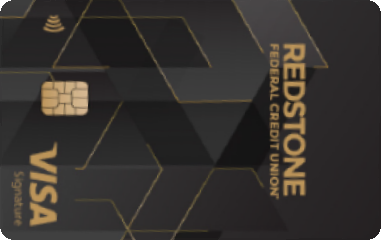
@dlister70 thanks for the research I really need to find a cycling club or something to subscribe to get in with this FCU that is an amazing card for me, and looking at your sig they have some pretty cool looking cards as well (I know shouldn't matter but... it does  )
)






Message 7 of 13
- Mark as New
- Bookmark
- Subscribe
- Mute
- Subscribe to RSS Feed
- Permalink
- Report Inappropriate Content
03-23-2023
09:59 AM
03-23-2023
09:59 AM
Re: Redstone FCU Cash Back Category Lookup
@Beefy1212 wrote:@dlister70 thanks for the research I really need to find a cycling club or something to subscribe to get in with this FCU that is an amazing card for me, and looking at your sig they have some pretty cool looking cards as well (I know shouldn't matter but... it does
I joined the greater Arizona bicycle club when I was trying to get in with Vantage West credit union to get their Visa card. The credit union rejected me, and the bicycle club emails taunt me to this day.
I wish you better luck when trying to get in with Redstone!
Message 8 of 13
0
Kudos
- Mark as New
- Bookmark
- Subscribe
- Mute
- Subscribe to RSS Feed
- Permalink
- Report Inappropriate Content
03-24-2023
01:42 PM
03-24-2023
01:42 PM
Re: Redstone FCU Cash Back Category Lookup
@dlister70 wrote:
@Beefy1212 wrote:@dlister70 thanks for the research I really need to find a cycling club or something to subscribe to get in with this FCU that is an amazing card for me, and looking at your sig they have some pretty cool looking cards as well (I know shouldn't matter but... it does
I joined the greater Arizona bicycle club when I was trying to get in with Vantage West credit union to get their Visa card. The credit union rejected me, and the bicycle club emails taunt me to this day.
I wish you better luck when trying to get in with Redstone!
Well I don't think I need to get my Huffy out but...
I gave Redstone a call asked the rep what the secret handshake was to get around the Geofence.
First thing he said was not a problem we get this all the time.... are you near a Rural King?
No? Okay we have a few other popular options
"If you don’t qualify through the options above, you may qualify by becoming a member of one of the service groups listed below. You will need to visit the organization's website and process your donation to recieve paperwork to qualify.
- Fayetteville-Lincoln County Arts Center - $10 Membership Fee
- Arc of Jackson County - $15 Membership Fee
- Spirit of Athens - $20 Membership Fee
- Carnegie Visual Arts Center - $15 Membership Fee
- Hartselle Beautification Association - $15 Membership Fee
- The Land Trust of Huntsville & North Alabama - $30 Membership Fee
- Association of the United States Army (Redstone/Huntsville Chapter) - $33 (civilian) Membership Fee
"
The website stated a credit check was required so I went ahead and asked which CRA... CRA is Experian and it is a soft pull I forgot to ask if that is also for loan products but for now will assume it is also Experian.
I told him I had several recent cards/accounts and asked if that was a problem he said as long you don't have large amounts of money that is delinquent you are likely fine. He wasn't a loan officer and declined to talk about any credit product red flags.
I am going to make a donation to "Arc of Jackson County", an organization that assists developmentally disabled individuals, and give this a go, I also am going to have to accept I am never going to be under 5/24 and should just give up on Chase credit cards lol.
/edit there is 2 different arc of Jackson counties one in Medford Oregon, and one in Scottsboro Alabama... you want Alabama.
Message 9 of 13
- Mark as New
- Bookmark
- Subscribe
- Mute
- Subscribe to RSS Feed
- Permalink
- Report Inappropriate Content
03-24-2023
07:24 PM
03-24-2023
07:24 PM
Re: Redstone FCU Cash Back Category Lookup
I tried out a few stores that I thought might code as discount stores. The charges are showing up now so that I can check, but the points haven't been issued yet.
Dollar Tree: Coded as "variety stores"
Walmart Supercenter: Coded as "grocery stores"
Big Lots: Coded as "discount stores"
Target: Coded as "discount stores"
I'm not sure if I'll get the extra points for a "variety store", and I was surprised that my Walmart coded as grocery. I hardly ever go there, but that's good to know in terms of rewards. I don't think that I'll be able to see the points output until I make another payment, but if variety stores gets the 3%, then I'll be sure to say something.
I was also surprised that Dollar Tree didn't code as discount but Target did. It's one of the Targets that has a big grocery section. I guess that's why it's always good to test out with a small purchase before counting on getting a particular % for a big purchase!
Message 10 of 13
† Advertiser Disclosure: The offers that appear on this site are from third party advertisers from whom FICO receives compensation.